FM and digital modulation
Traditional FM systems send an analog frequency-modulated radio signal. Digital modulation systems encode and transmit audio digitally through a manufacturer or platform-specific implementation. Both can improve the signal-to-noise relationship. The label does not tell you which receivers, adapters or hearing-device programs are required.
Receiver choices
Some receivers attach to or communicate with hearing aids and implant processors. Others feed a neckloop, headphones or a small personal speaker. School and workplace systems may use installed transmitters, portable kits or networked microphones. List every component and confirm who programs or pairs it.
Cover every speaker
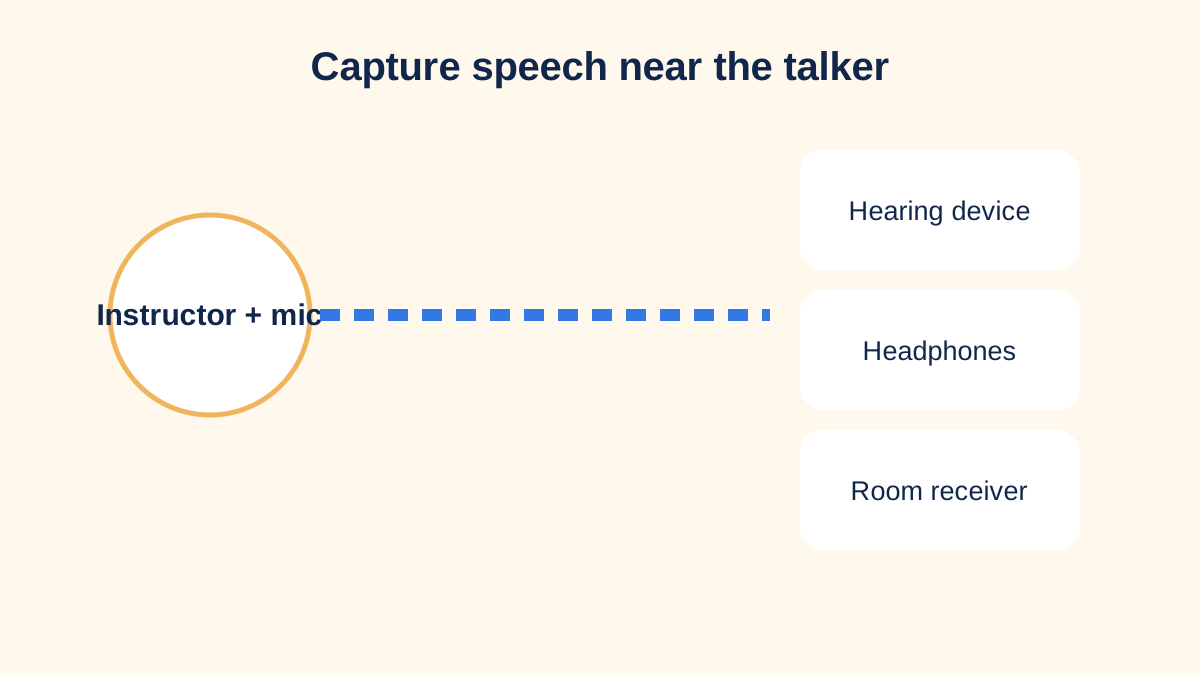
An instructor microphone does not automatically capture a student question, panel discussion or remote participant. Plan repetition into the primary microphone, pass-around units, table microphones or a direct conferencing feed. The user should not be responsible for chasing every speaker with equipment.
A classroom example
A student hears the teacher clearly through DM but misses peers during discussion. The team adds a student microphone routine and captions for video. Teachers learn mute and charging procedures, and a backup receiver is stored in an identified location. The solution becomes a classroom process rather than one device.
Interference, privacy and reliability
Check operating range, channel assignment, encryption or privacy features, battery life and behavior when the link drops. Adjacent rooms may use similar systems. Confidential workplace audio needs an approved system and handling process. Test after software updates and room changes.
Evaluation checklist
Compare baseline and aided task performance in the actual room. Verify the talker microphone, receiver, hearing-device program, accessories and backup. Document charging, storage, cleaning, training and support. Review whether the listener can follow instruction, questions and transitions without unreasonable delay.
Connect to hearing aids and implants
A receiver may connect directly, through a manufacturer interface, an audio shoe, a neckloop or a streamer. Each extra link introduces power, pairing and compatibility requirements. Confirm whether the user hears only the remote microphone or a mix of microphone and nearby environmental sound. The balance may need to change between lecture and group work.
Keep exact model names and connection diagrams. When hearing devices are replaced, do not assume the existing receivers remain compatible. Include the remote system in fitting and verification appointments so the full chain can be tested.
Ownership and access responsibilities
Schools and employers should define who purchases, inventories, charges, cleans, updates and repairs shared components. Staff turnover should not erase the setup knowledge. Store accessible instructions and a working backup. If the user changes rooms, shifts or instructors, transfer the access plan before the first critical session.
Review effectiveness with the listener. Stronger signal from one speaker is not complete access if discussion, media and emergency announcements remain inaccessible. The review can add captions, a second microphone or a different connection rather than discarding the whole system.
Procurement questions before purchase
Count transmitters, receivers, chargers, adapters, protective cases and spare parts rather than budgeting for one headline device. Confirm whether licenses, subscriptions or proprietary programming tools are required. Ask how many simultaneous systems can operate in neighboring rooms and whether future hearing-device changes will require new receivers.
For an institution, trial equipment before a larger purchase and involve the actual users. Require accessible instructions and an identified support route. A technically impressive system that staff cannot start within a few minutes will not provide reliable access.
Outcome evidence
Define observable outcomes: the learner follows peer questions, the employee captures instructions from across a work area, or the attendee understands a guide outdoors. Collect the listener’s report and, when appropriate, structured speech or classroom measures. Review fatigue and independence as well as accuracy. If access only works when one expert technician is present, implementation remains incomplete.
Train the whole communication team
The listener should know how to confirm connection, change an approved program, report a failure and request a fallback. Talkers need to know microphone distance, mute behavior and how to handle private side conversations. Support staff need a short startup test that proves sound reaches the intended receiver before instruction or work begins. Practice a failure scenario: a discharged transmitter, forgotten receiver or unexpected room change. The backup might be captions, a wired feed, written notes or relocation closer to the speaker. Documenting that routine reduces lost learning and avoids making one user repeatedly explain the system. Review the plan when equipment, staff, rooms or hearing devices change.
Sources and review notes
Sources were checked for this editorial update on October 12, 2026. External guidance can change; follow the linked source for the current version.
This page provides education, not an individual diagnosis, treatment plan, legal opinion or billing decision. Historical expert contribution is credited only where supported by the original project record; it does not imply review of this update.