Why louder may not be clearer
Television mixes dialogue, music and effects. Room reflections and distance can blur speech even when volume is high. Increasing the main speakers may disturb other viewers without improving the ratio of dialogue to background sound.
Available paths
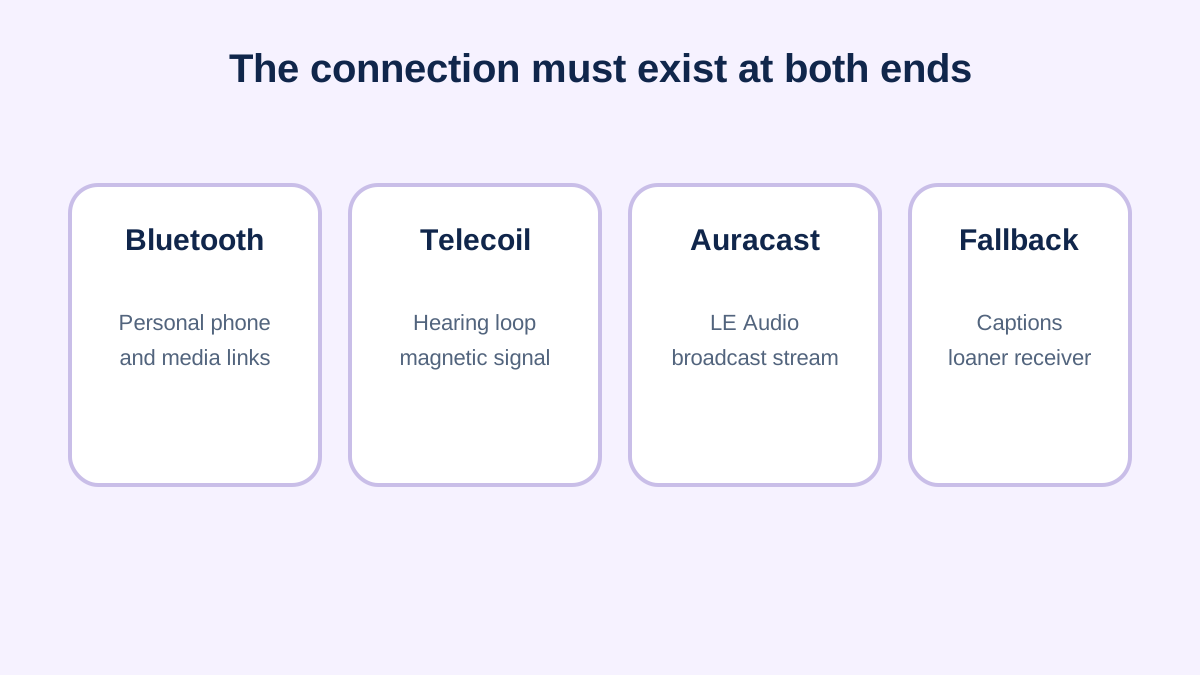
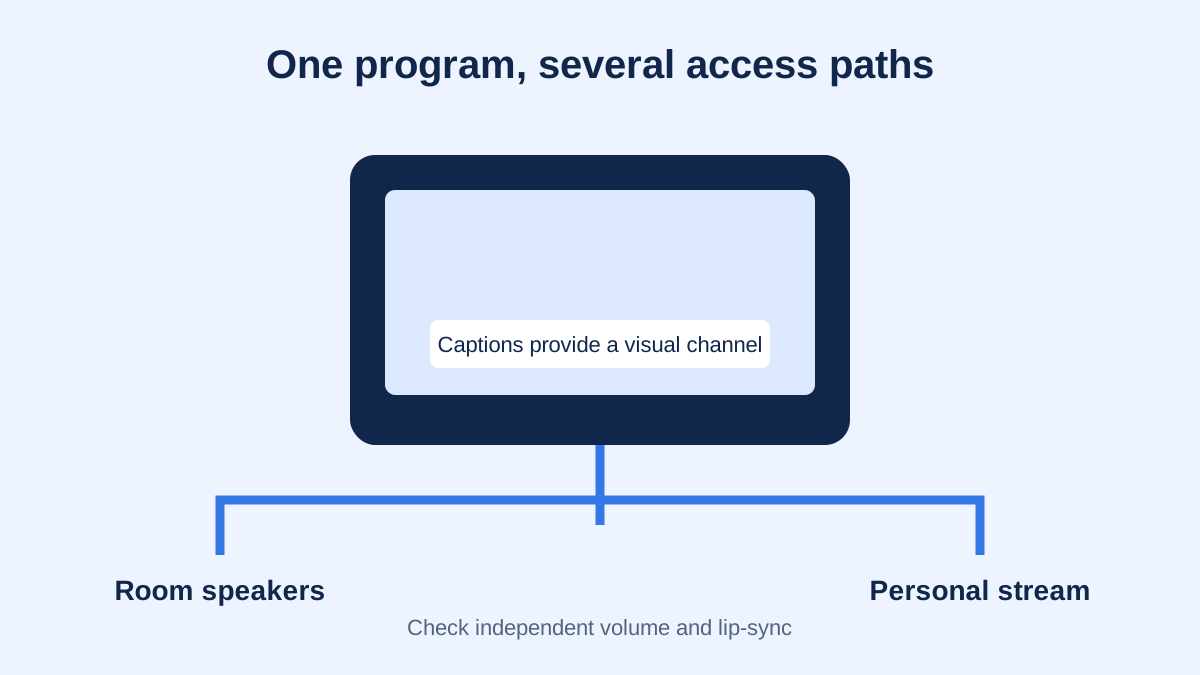
Captions provide a visual channel. Optical, HDMI ARC, headphone and analog outputs can feed transmitters or sound systems. Bluetooth may connect directly or through an adapter, but latency can put sound out of sync with the picture. Hearing-device streamers and loops can deliver a cleaner signal to compatible receivers.
Shared viewing
Check whether connecting a transmitter disables the TV speakers. Some televisions offer simultaneous output; others require an adapter or different connection. Independent volume lets one viewer use stronger personal audio while everyone else hears the room speakers normally.
Worked setup
A couple first turns on accurate captions and enables a dialogue-enhancement setting. One viewer then uses an optical-output transmitter to hearing aids while the speakers remain active. They test lip-sync and keep a written note of the settings so an input change does not erase the working configuration.
Buying checklist
- Which audio outputs does the television have?
- Can room speakers and personal audio run together?
- Is there noticeable delay?
- Does the receiver work with the listener’s hearing devices?
- Can the user independently control volume and reconnect it?
Improve the source before adding equipment
Check the program’s caption settings, audio language and any dialogue-enhancement or night mode. Reduce competing appliances and hard-surface reflections where practical. Move seating closer and aim speakers toward the viewers. A soundbar with a clear center channel may improve dialogue for some rooms, but it remains shared room sound and should not be assumed to replace personal access technology.
When testing headphones or direct streaming, compare clarity at a comfortable level rather than maximizing volume. Confirm how quickly the system reconnects after changing inputs or using a different streaming app. Household members should be able to restore the setup without navigating an undocumented sequence of menus.
Trace the complete audio chain
The program may come from a cable box, game console or streaming stick rather than from the television’s internal tuner. Some outputs carry only audio generated inside the TV, while others carry the currently selected HDMI source. Optical output settings may require PCM instead of another format. These are device-specific setup issues, so use the official manuals for the exact models.
Before the return period ends, test every regular source, captions, personal volume, room speakers and lip synchronization. Note cable types and settings. If a hearing-device accessory is involved, ask who supports the television side and who supports the hearing-device side; unclear responsibility is a common reason an otherwise suitable system remains unused.
Know when hearing care is the next step
If one viewer requires steadily increasing volume across conversations, television and phone calls, a hearing evaluation may be more useful than repeatedly replacing TV accessories. A television solution targets one environment; it does not explain a new or changing hearing difficulty. Sudden change or other urgent symptoms should not wait for an equipment trial.
For an established hearing-device user, bring the TV problem to a follow-up appointment. Streaming balance, hearing-device programs, earpiece fit and accessory settings may be adjustable. Define success as comfortable shared viewing with understandable dialogue, not as achieving a particular volume number.
A simple comparison routine
Use the same five-minute scene with dialogue, music and more than one speaker. Compare captions alone, the improved room setup and each personal audio option at comfortable volume. Rate word clarity, delay, ease of connection and shared-viewing comfort. Repeat after turning everything off and on. A setup that sounds excellent but cannot reconnect reliably is not yet a finished household solution.
Product ports and simultaneous-output settings vary by exact television and audio source. Check the current manuals before purchasing an adapter, and keep return terms until every regular input and viewing arrangement has been tested.
Build an evidence record
Television access depends on the actual source, audio output, transmitter, receiver, latency and whether room speakers can remain active. HDMI devices, apps and broadcast tuners may use different paths.
Write the date, ear or listening condition, equipment or service involved and the decision the evidence is meant to support. Preserve the original report or agreement rather than a cropped screenshot. When two results disagree, record the mismatch and ask what additional check would resolve it. Reliable decisions make uncertainty visible instead of silently converting it into certainty.
Worked decision
A transmitter works with broadcast television but goes silent when a streaming stick is selected. Tracing the active audio output identifies the configuration problem before another accessory is purchased.
This example shows why the same label can lead to different actions. The recommended next step follows the measured barrier, urgency and complete context. It does not assume that a more expensive device, a louder setting or a single test result is automatically more useful.
Prepare and verify the next step
List every regular source and port, test simultaneous speakers, lip synchronization, independent volume, reconnection and a caption fallback.
Choose a repeatable task and define success before the change. Record distance, noise, speaker, program, comfort, handling and any failure. Repeat the task after adjustment and keep a backup communication route while evidence is incomplete or equipment is unavailable.
At follow-up, compare the result with the original goal rather than asking only whether the person “likes it.” Confirm what improved, what remained difficult, whether setup was independent and whether the solution worked for other speakers or rooms. Document maintenance, repair and retesting responsibilities so a successful trial can become dependable daily access.
Share only the information needed for the decision. A clinician may need symptoms and test history, while an employer may need the functional barrier and proposed access method rather than a complete medical record. Clear boundaries protect privacy and keep the discussion focused on the task.
Important boundary
Connector shape alone does not prove signal compatibility, and product settings can change after software updates.
Seek prompt professional care for sudden hearing change, severe pain, drainage, acute dizziness, neurologic symptoms or a retained object. Product features, policies and official guidance can change; verify current instructions and primary sources when the decision affects health, safety, money or legal rights.
Sources and review notes
Sources were checked for this editorial update on October 12, 2026. External guidance can change; follow the linked source for the current version.
This page provides education, not an individual diagnosis, treatment plan, legal opinion or billing decision. Historical expert contribution is credited only where supported by the original project record; it does not imply review of this update.